How to Integrate Pricelabs with WeChalet
PriceLabs can send daily rates and minimum stay requirements to WeChalet.
Feature Availability
See what features work with your PMS. Click here to check which customizations are supported for your platform, so you know what options will be available once your listings are connected.
Before You Start
Before proceeding with the integration, keep the following in mind:
- You must have existing listings in your PriceLabs account connected to external OTAs/PMSes
Step 1: Prepare Your PriceLabs Account
- Log in to your PriceLabs account
- Import your listings from your OTA/PMS
- Refer to this guide for import steps specific to your platform: Available Integrations
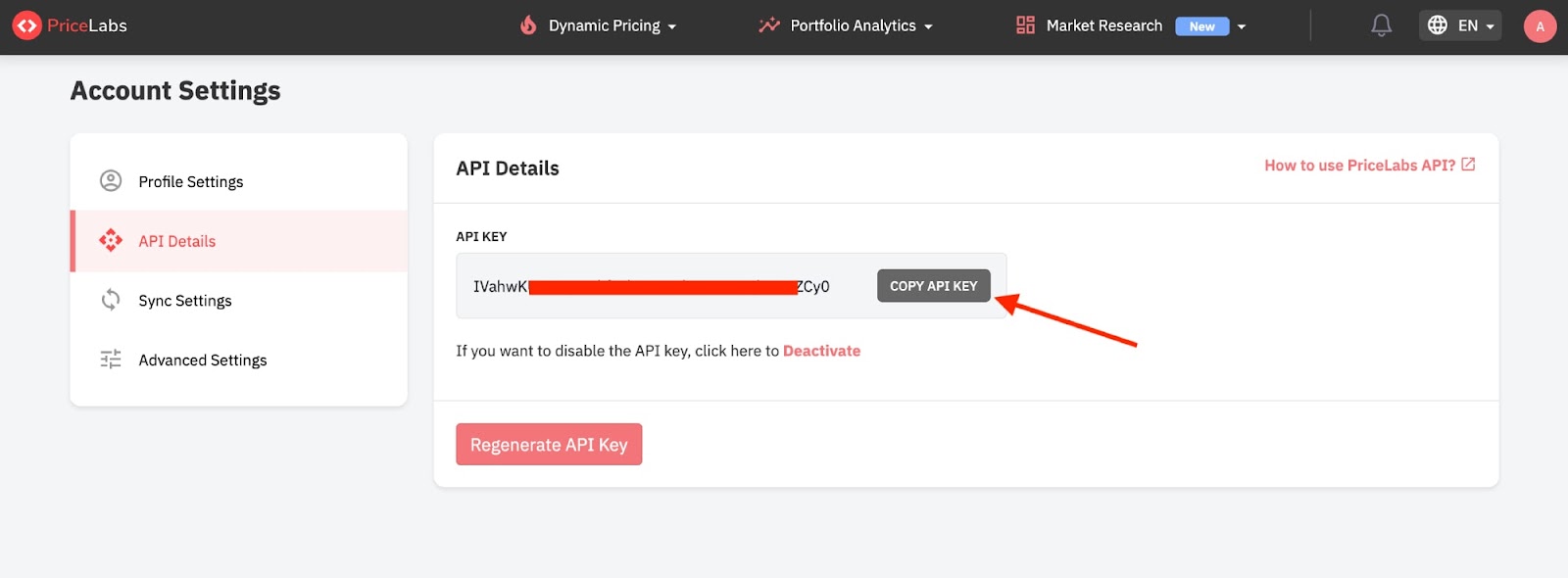
- Navigate to Account Settings → API Details, and click the "Enable" button.

- Click "COPY API KEY"
Step 2: Connect & Setup in WeChalet
Log in your WeChalet account.
Go on Host Mode then navigate to Management → Integration
In the WeChalet PriceLabs integration menu, enter your PriceLabs API key and click on "Link account".
Give it a few minutes and PriceLabs will start pushing your prices to WeChalet
API usage charges:
We charge $1/listing/month for all listings syncing during a billing month.